IoT Hub
Your machines talk. We connect them.
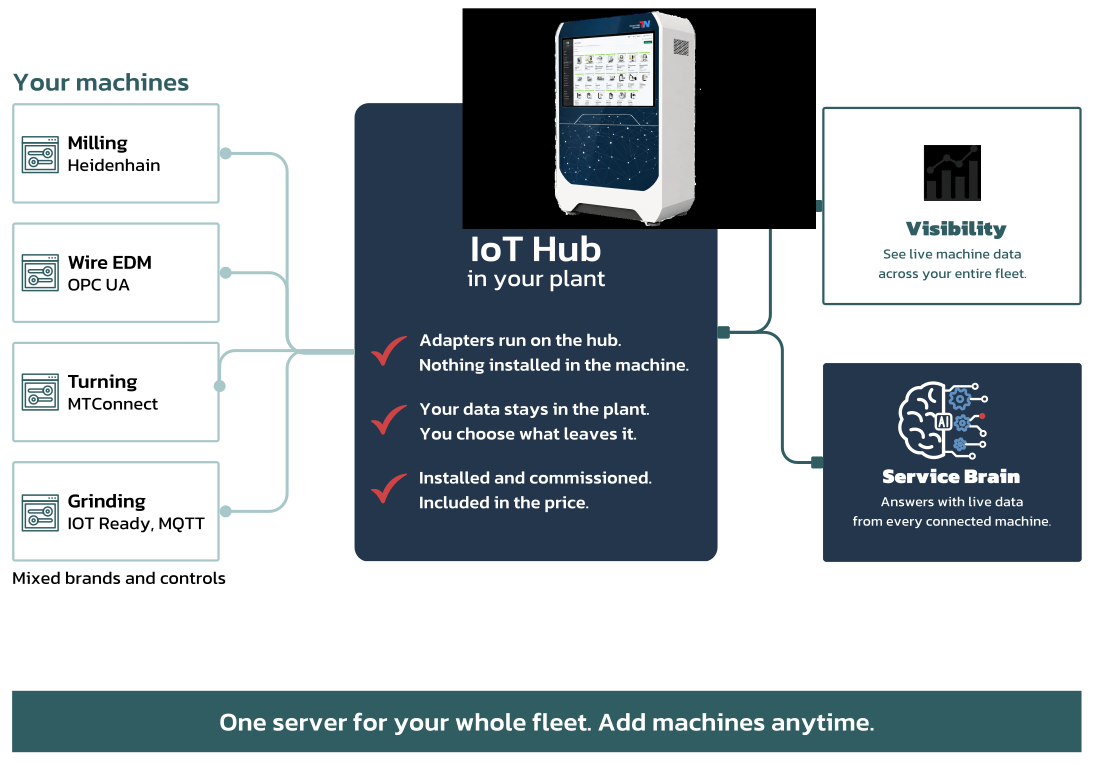
The IoT Hub connects your machines to your account: live data, status, limits, alerts. One hub for your whole fleet, mixed brands and controls, nothing installed in the machine. We deliver it, set it up and commission it on site.
Transaction-Network works without the IoT Hub too. The hub adds your machines' live data.
For your IT
Keep the shop floor separate. Connect it once.
Your machines stay in their own shop-floor network, behind the hub. For your IT, the hub is a single device in the company network, with one connection to secure. Every machine sits behind it.
Machines as they are.
A virtual adapter on the hub reads the control through the interface it already has. No cable change, no PLC change, nothing installed in the machine.
- OPC UA
- Modbus TCP
- REST
- MQTT
You see machine state, operating hours, the running program and whatever else the control exposes.
At a glance
One server for your whole fleet.
Machines of different brands and controls connect to the hub. It feeds Visibility and gives the Service Brain live data. Add machines anytime.
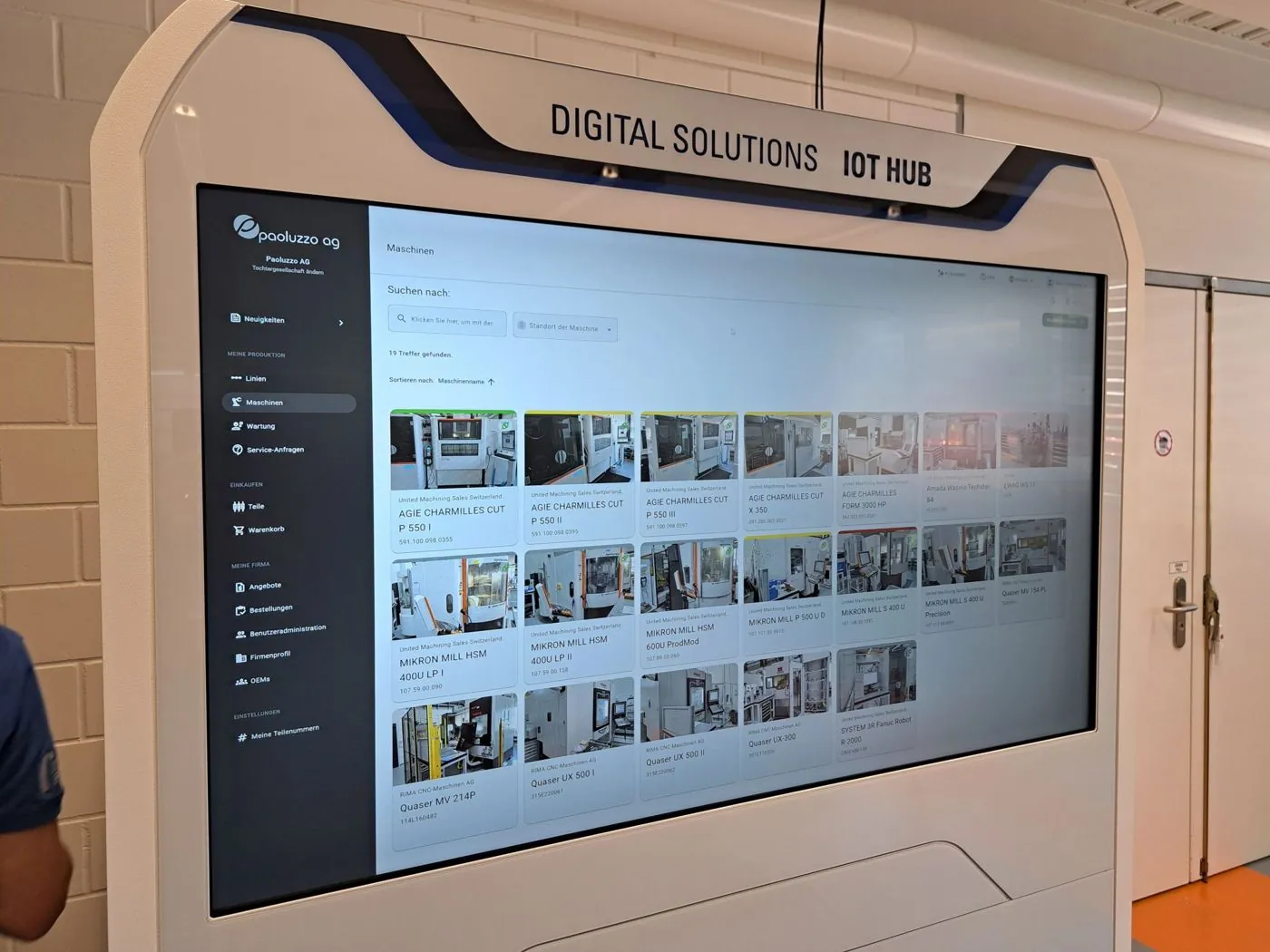
The device
One cabinet. One server for the whole fleet.
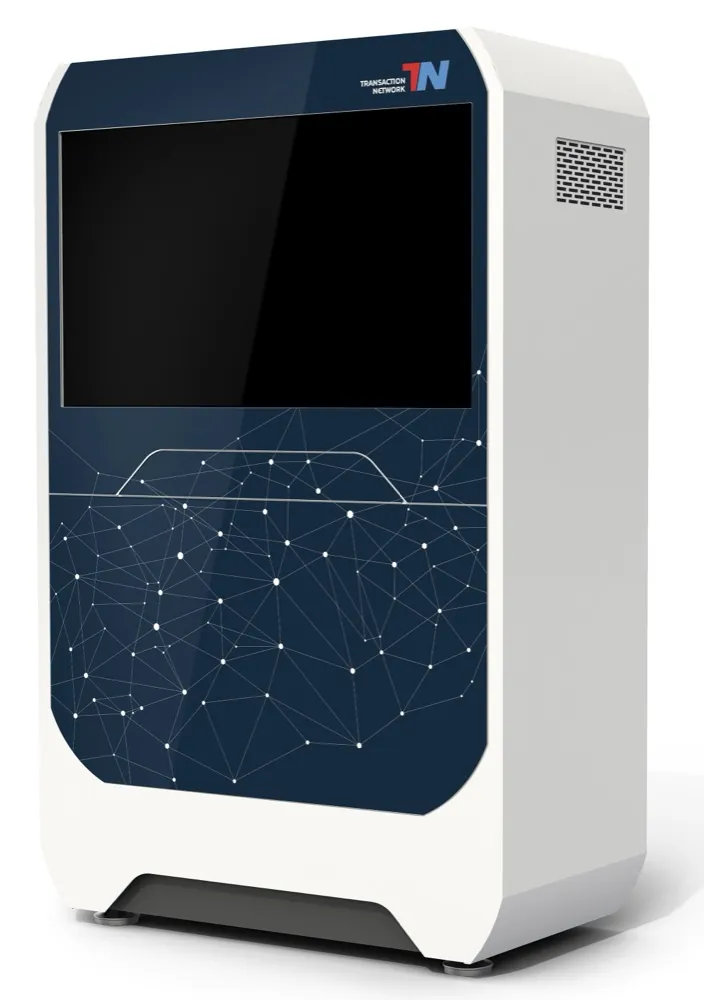
IoT Hub
- Display
- 50-inch multitouch screen in a lockable cabinet
- Workplace
- The place in the hall for your shop-floor dailies; hidden tray for keyboard and mouse
- Server
- 19-inch rack server with virtualisation: one adapter per machine, more machines without new servers
- Network
- Gateway with routing, firewall and DHCP · managed switch with 24 PoE ports
- Power
- Uninterruptible power supply · integration space with DIN rail for your 24 V devices
- At the machine
- A machine switch; optional radio bridge or state bridge on the signal tower
- Interfaces
- OPC UA · Modbus TCP · REST · MQTT
- Setup
- Installation and commissioning on site, by us
What you see next
Visibility: every connected machine, live.
Live data, status, limits and alerts for every connected machine, on the big screen in the hall and on your phone. Signals turn into tickets.
Visibility Standard
Three months of history
€24.00per connected machine per month
Visibility Professional
Twelve months of history
€49.00per connected machine per month
Cold archive
1, 5, 10 or 15 years
from €15.00per connected machine per month
Minimum for Visibility: €240.00 per month, so from ten machines.
How to start
Start with one plant.
Your machine list
Brand, control, interface and location of each machine.
Our check
Which machines connect as they are, and which need more.
Your first hub
Installed, commissioned, and your machines live in your account.
What we need from you: network access and one contact in your IT.
Questions
What maintenance and IT ask about the hub.
Do I need the hub to use Transaction-Network?
No. Machine records, maintenance, ordering and the Service Brain work without a connection. The hub adds live data.
What does our IT need to do?
Provide network access and name one contact for us. The machines stay in their own network behind the hub; for your IT, the hub is one device with one connection.
How do I see downtime and its causes for all machines in one overview?
Your account shows every machine from every manufacturer at a glance: fault, maintenance due, open order. Machines connected through the IoT Hub show status, limits and alerts live, with history. An alert becomes a ticket that records the cause and the fix.
How do I connect older machines that have no interface?
No machine needs an interface for records, maintenance, ordering and the Service Brain; they are in your account without a connection. For live data we check each machine's control and interface and tell you which ones can be connected as they are and which need more. The IoT Hub installs nothing inside the machine.
Your next step
Which of your machines can we connect?
Send us your machine list with brand, control, interface and location. We check controls and interfaces and show you which machines connect as they are.